Form UI (X-UI Tags)
Reference for the x-ui-* extension fields in facets.yaml that shape module config forms: conditional display, dynamic dropdowns, layout, and validation.
Facets modules support dynamic, user-friendly form rendering through x-ui-* extension fields in facets.yaml. These extensions control how inputs are displayed, validated, and interacted with, enabling smart defaults, conditional logic, API-driven dropdowns, YAML editors, and more.
This guide quickly references all supported x-ui fields, helping you build intuitive and robust configuration UIs for your modules.
Seeing the form before you register the module
raptor module preview ./modules/<intent>/<flavor>/<version>This renders the spec schema with the same React form engine the Control Plane uses, in
headless Chrome, with no control plane involved. You get a PNG of the form, a JSON report and
an exit code: 0 rendered cleanly, 1 a render error such as an array with non-string items,
2 a tool failure such as an invalid facets.yaml or Chrome missing.
The JSON report is what to check in CI. .ok is the verdict, .errors and .warnings say
what is wrong, .hidden lists fields the conditions kept off screen, and a per-field
.degraded flag marks the ones backed by control-plane APIs, which render as empty controls
offline. That covers most of x-ui-dynamic-enum on this page.
Release note v0.94 calls this raptor preview form. The command is raptor module preview;
there is no top-level preview command.
Here is the table sorted alphabetically first by Category, then by Tag:
Category | Tag | Short Description |
|---|---|---|
Conditional Display | x-ui-visible-if | Conditionally display this field only if another field has a specific value. For example, show replicaCount only if deploymentType is set to "ReplicaSet". |
Dynamic Data Sources | x-ui-dynamic-enum | Populates a dropdown based on values from another field. For example, allow selecting a port for a health check from the list of container ports defined in the same deployment. |
Dynamic Data Sources | x-ui-output-type | Marks the field as a special output type. For example, an Ingress upstream can be selected from available Services that export a compatible output interface. |
Dynamic Data Sources | x-ui-output | Mark a particular field from a referenced output to be used, instead of the entire output object. For Example: Picking attributes.bucket_name from @facets/s3 |
Dynamic Data Sources | x-ui-api-source | Populates dropdown options by calling a specified API endpoint and applies optional filters to retrieve and display relevant data based on the defined criteria. |
Dynamic Data Sources | x-ui-secret-ref | Allows the field value to reference a secret defined at the project level. For example, link to a stored API key without exposing its value. |
Dynamic Data Sources | x-ui-variable-ref | Allows the field value to reference a variable defined at the project level. For example, reuse a common region or environment name. |
Dynamic Data Sources | x-ui-typeable | Allows a field value to be typed instead of selecting it from the dropdown values |
Environment Management | x-ui-overrides-only | Show this field only when overriding for a specific environment. For example, a CIDR block must be set per environment and shouldn't have a default value. |
Environment Management | x-ui-override-disable | Prevents a field from being modified by the user for any environment - ensuring that a blueprinted or default value remains intact. |
Form Layout & Presentation | x-ui-order | Specify the rendering order of fields. |
Form Layout & Presentation | x-ui-placeholder | Provide example input placeholder text. |
Form Layout & Presentation | x-ui-toggle | Renders a group of fields as a collapsible section. For example, show health check settings inside a deployment only if the user chooses to enable health checks. |
Form Layout & Presentation | x-ui-artifact | Provides a way to attach artifacts (images/zip) for any field marked with this tag. |
Form Layout & Presentation | x-ui-editor | Enables an editor, with an option to choose language (by default YAML), for fields that will be saved as a string in the JSON. |
Form Layout & Presentation | x-ui-editor-language | Sets the syntax highlighting language for a field marked with |
Form Layout & Presentation | x-ui-yaml-editor | Enables a YAML editor for complex object fields. For example, custom values.yaml for a Helm chart deployment. |
Validation & Error Handling | x-ui-error-message | Defines a custom error message to show when validation fails. For example, "CIDR must be a valid private IP block" for a pattern mismatch. |
Validation & Error Handling | x-ui-array-input-validation | Defines a custom pattern to validate each item of an array field. |
Validation & Error Handling | x-ui-compare | Compare the field and define the error message to show if the comparator validation fails. |
Detailed examples
Conditional display
x-ui-visible-if
Conditionally shows fields based on another field's value (User can enter multiple conditions under this flag and the field will be visible only if all the conditions are met)
readiness_timeout:
  type: integer
  title: Readiness Timeout
  default: 10
  minimum: 0
  maximum: 10000
  x-ui-placeholder: "Enter readiness timeout for the Pod"
  x-ui-error-message: "Value must be between 0 and 10000"
  x-ui-visible-if:
    field: spec.runtime.health_checks.readiness_check_type
    values: ["PortCheck", "HttpCheck", "ExecCheck"]
liveliness_timeout:
  type: integer
  title: Liveliness Timeout
  default: 10
  minimum: 0
  maximum: 10000
  x-ui-visible-if:
    - field: spec.runtime.health_checks.liveliness_check_type
      values: ["PortCheck", "HttpCheck", "ExecCheck"]
    - field: spec.runtime.health_checks.liveliness_start_up_time
      values: ["10"]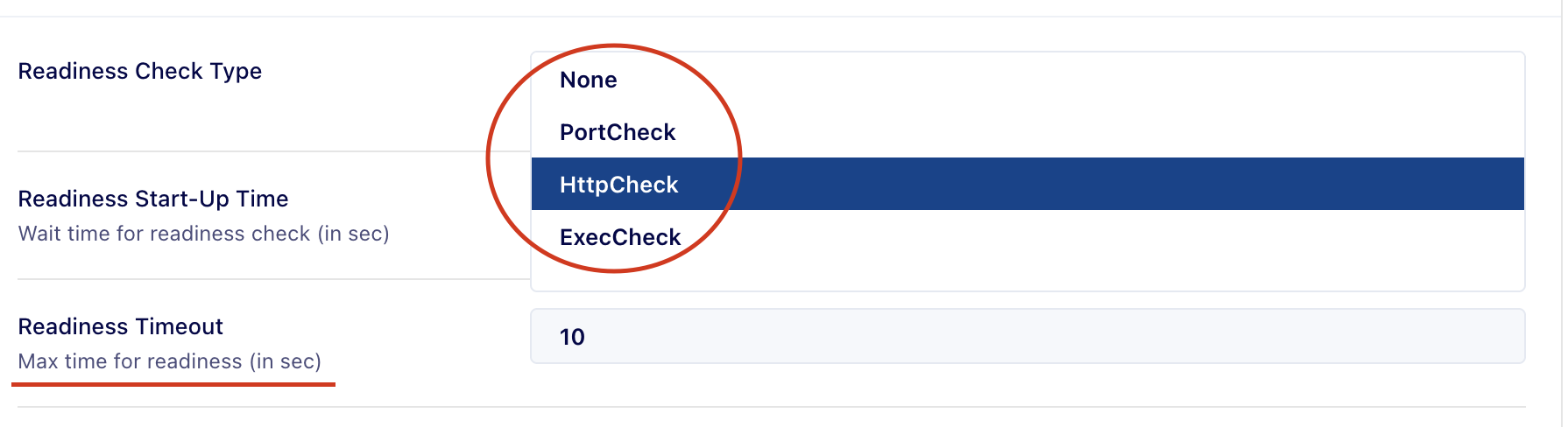
Dynamic data sources
x-ui-dynamic-enum
Dynamically populates enum values from a schema path
readiness_port:
  type: string
  title: Readiness Port
  x-ui-dynamic-enum: spec.runtime.ports.*.port
  x-ui-disable-tooltip: "No Ports Added"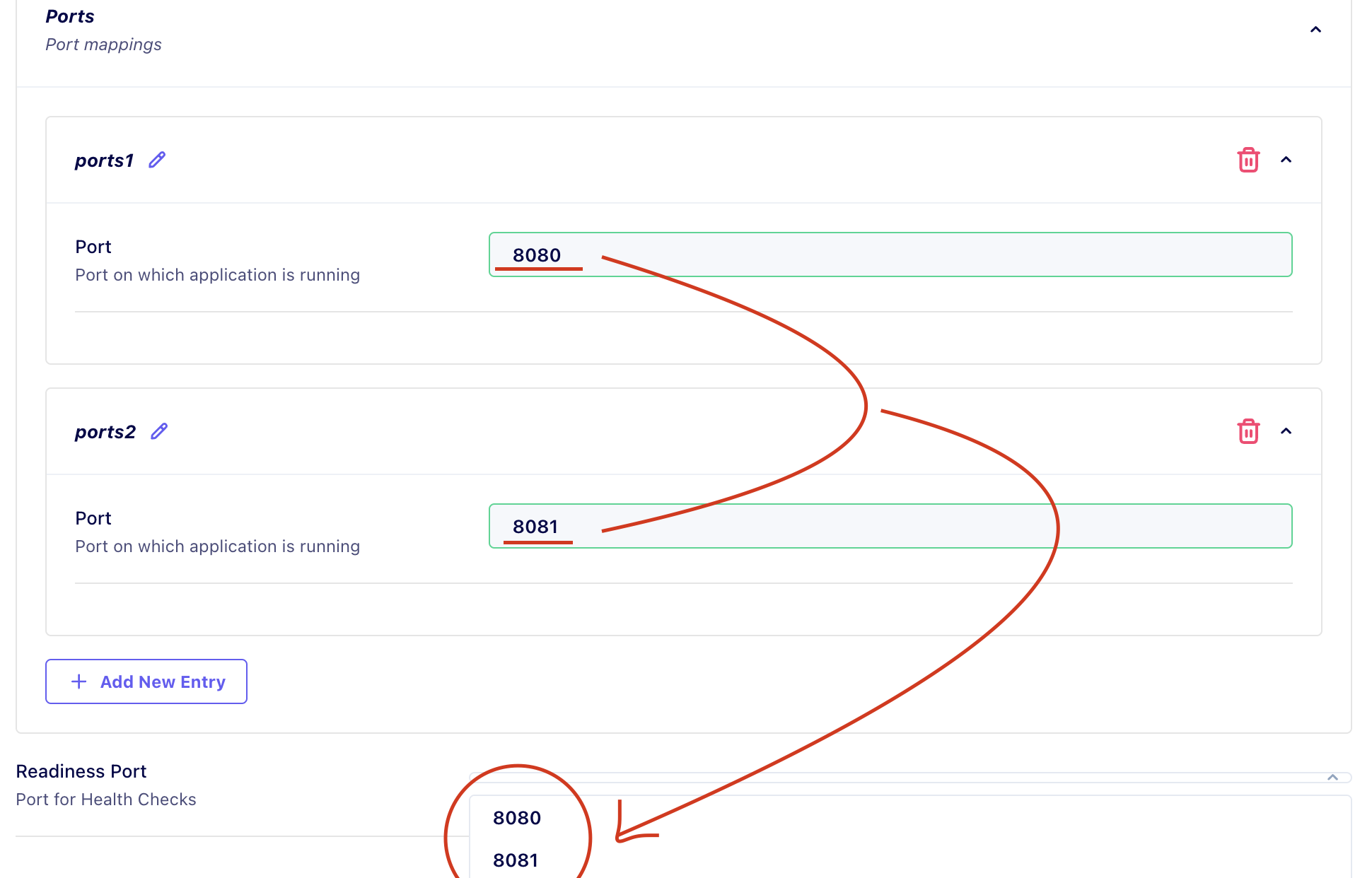
x-ui-output-type
Lists down all the resources whose output is of type mentioned in "x-ui-output-type".
arn:
  title: ARN
  type: string
  pattern: '^(arn:aws:iam::(\d{12}|aws):policy\/[A-Za-z0-9+=,.@\-_]+|\$\{[A-Za-z0-9._-]+\})$'
  x-ui-error-message: "Value doesn't match the accepted ARN pattern"
  x-ui-output-type: "iam_policy_arn"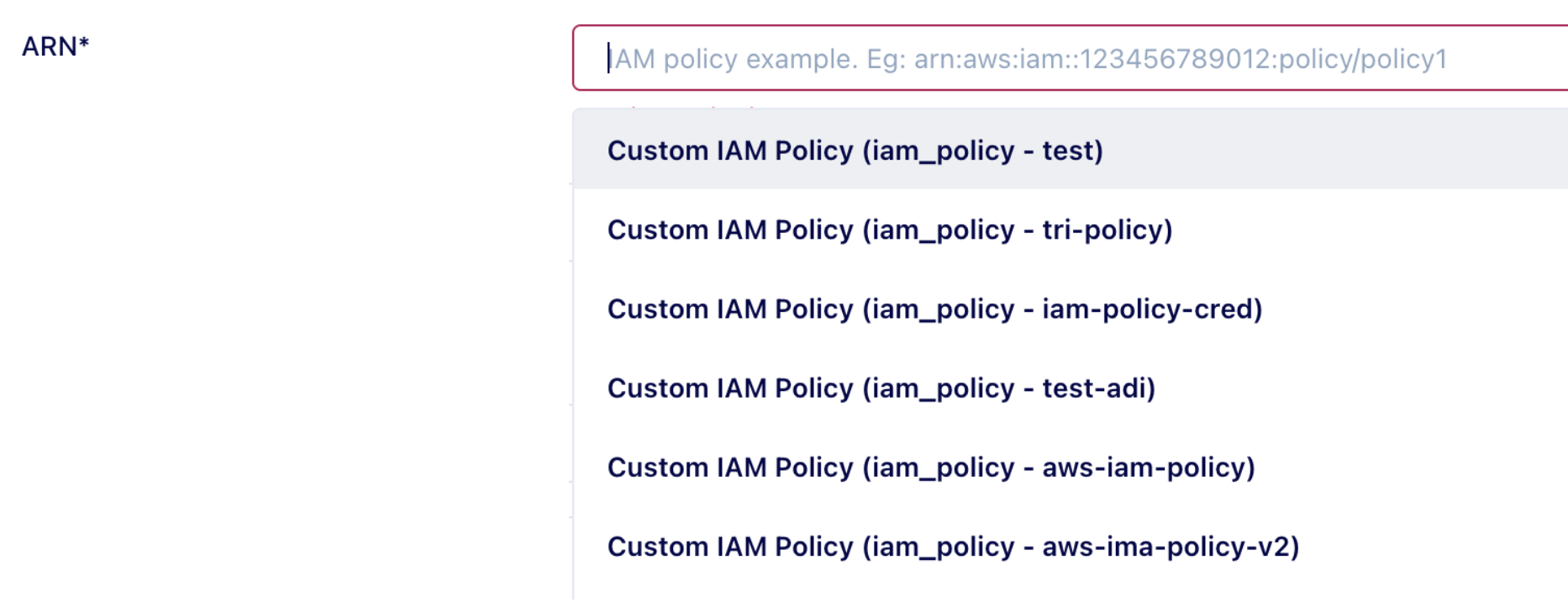
x-ui-output
List down the "field" of all the resources whose output type is mentioned in the "type" of x-ui-output.
For Example: Picking attributes.bucket_name from @facets/s3
bucket:
  title: Bucket Name
  description: The S3 bucket to write to
  type: string
  x-ui-output:
    type: "@facets/s3"
    field: 'attributes.bucket_name'
x-ui-api-source
List down all options by calling a specified API endpoint (and applies optional filters) to retrieve and display relevant data based on the defined criteria.
service_name:
  type: string
  x-ui-api-source:
    endpoint: "/cc-ui/v1/dropdown/stack/{{stackName}}/resources-info"
    method: GET
    params:
      includeContent: false
    labelKey: resourceName
    valueKey: resourceName
    valueTemplate: "${service.{{value}}.out.attributes.service_name}"
    filterConditions:
      - field: resourceType
        value: service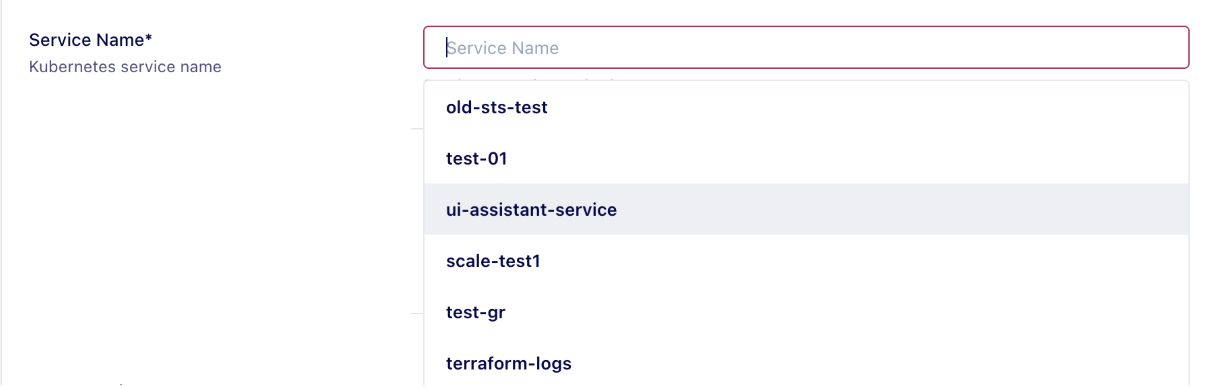
x-ui-secret-ref
Allows referencing or creating secrets (this flag shows a dropdown along with capability to type as well).
db_password:
  type: string
  x-ui-secret-ref: true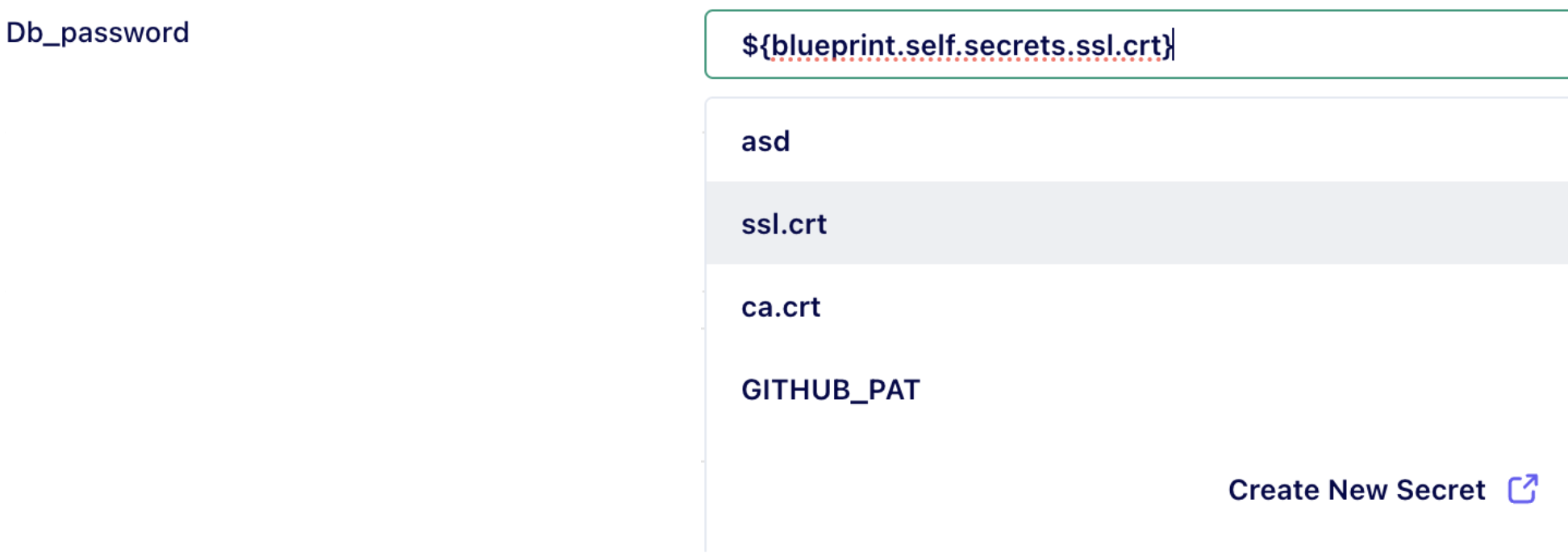
x-ui-variable-ref
Allows referencing or creating variables (this flag shows a dropdown along with capability to type as well).
db_username:
  type: string
  x-ui-variable-ref: true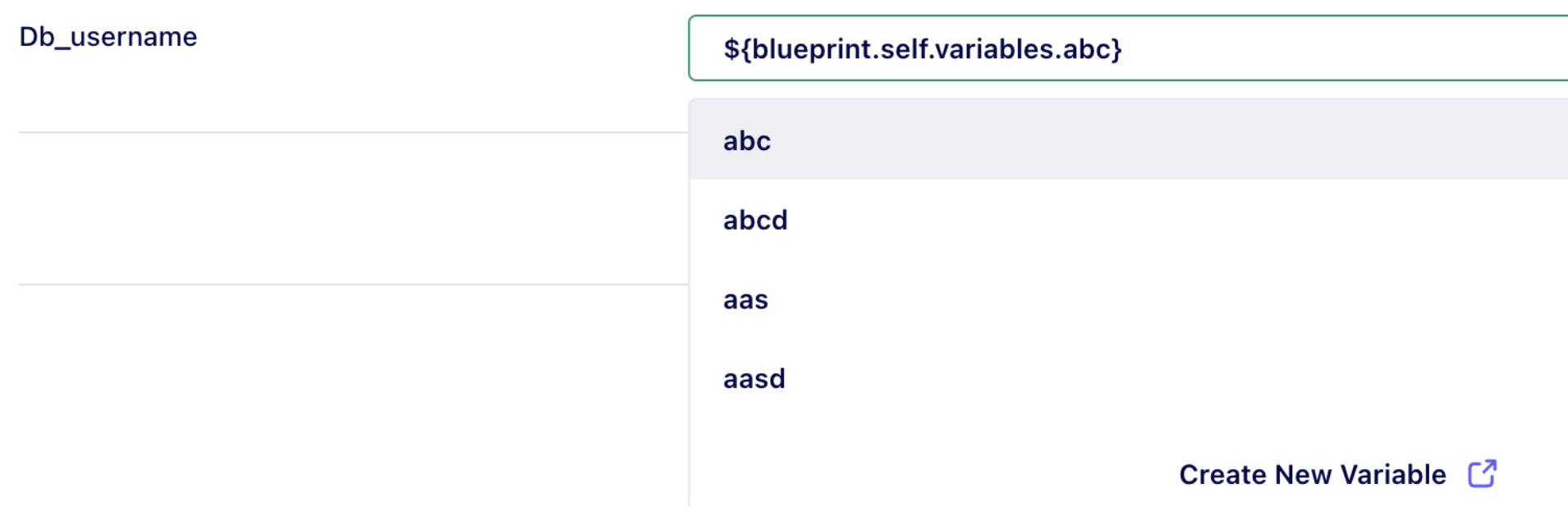
x-ui-typeable
Allows a field value to be typed instead of selecting it from the dropdown values
java_version:
  title: Java Version
  type: string
  description: Java version to use for the build
  default: '17'
  enum:
    - '8'
    - '11'
    - '17'
    - '21'
  x-ui-typeable: true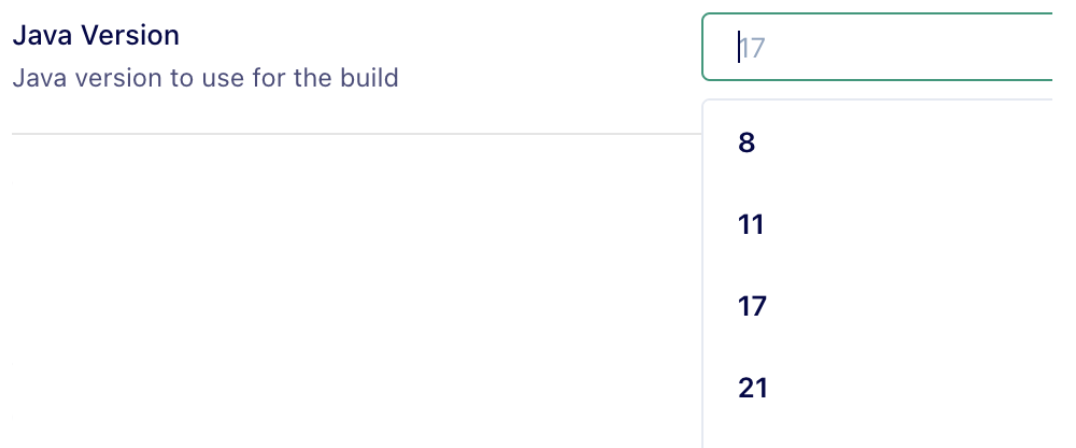
Environment management
x-ui-overrides-only
Only visible at the environment level and not visible at the blueprint level
cidr:
  type: string
  x-ui-overrides-only: true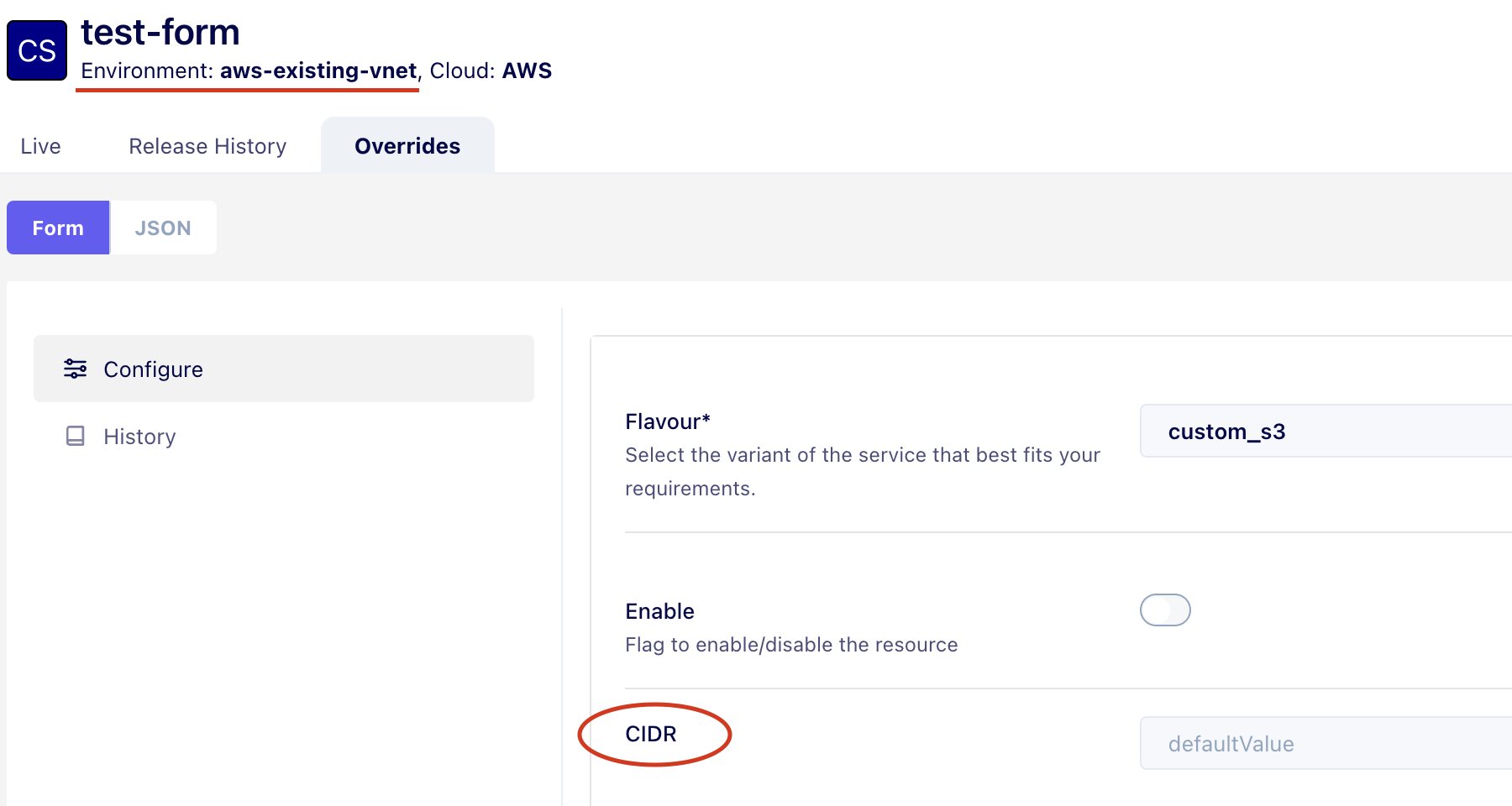
x-ui-override-disable
Only visible at the blueprint level and not visible at the environment level
restart_policy:
  type: string
  title: Restart Policy
  description: Restart Policy- Always, OnFailure, Never
  x-ui-override-disable: true
  enum:
  - Always
  - OnFailure
  - Never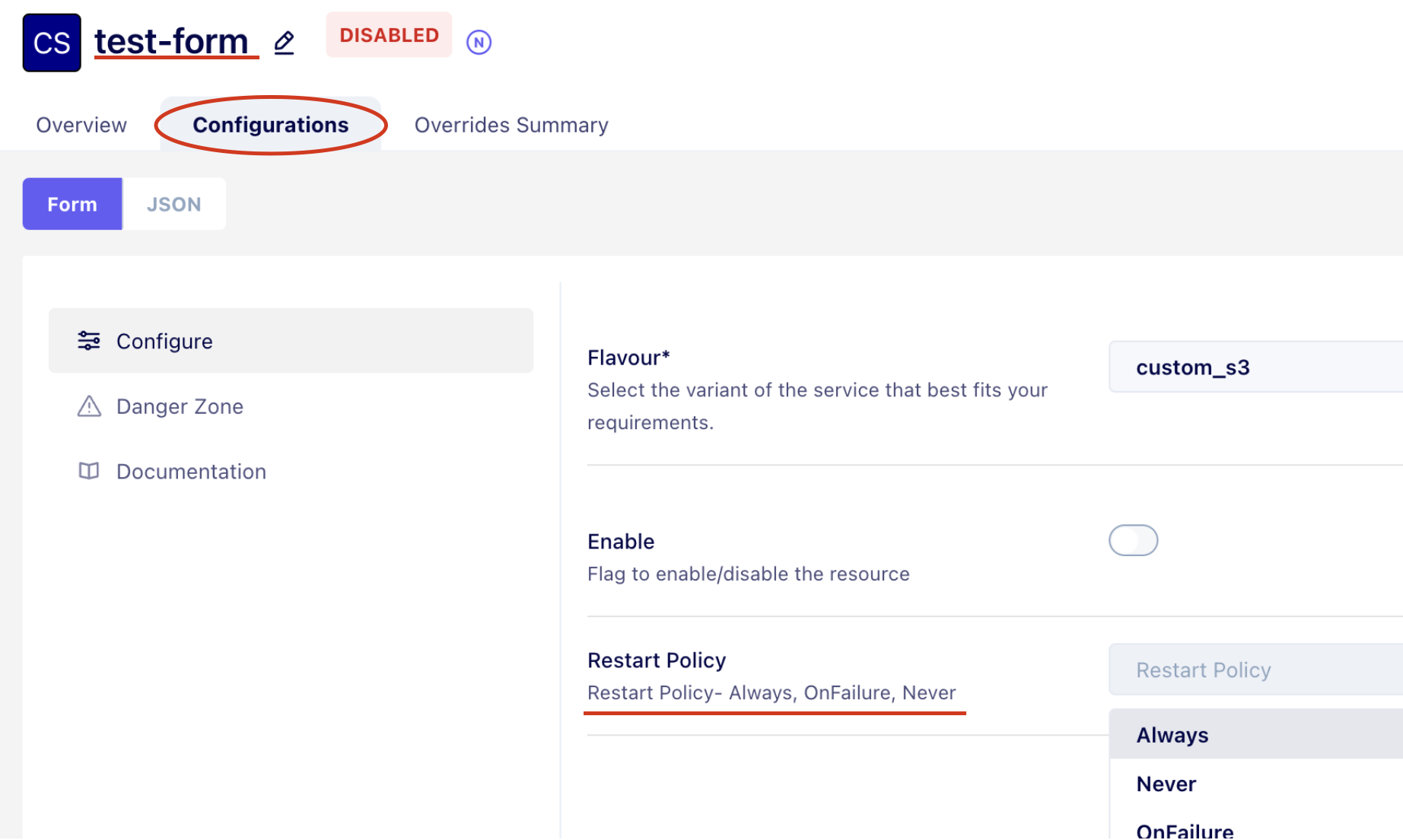
Form layout and presentation
x-ui-order
Controls the exact order of rendered fields.
x-ui-order:
  - restart_policy
  - db_password
  - memory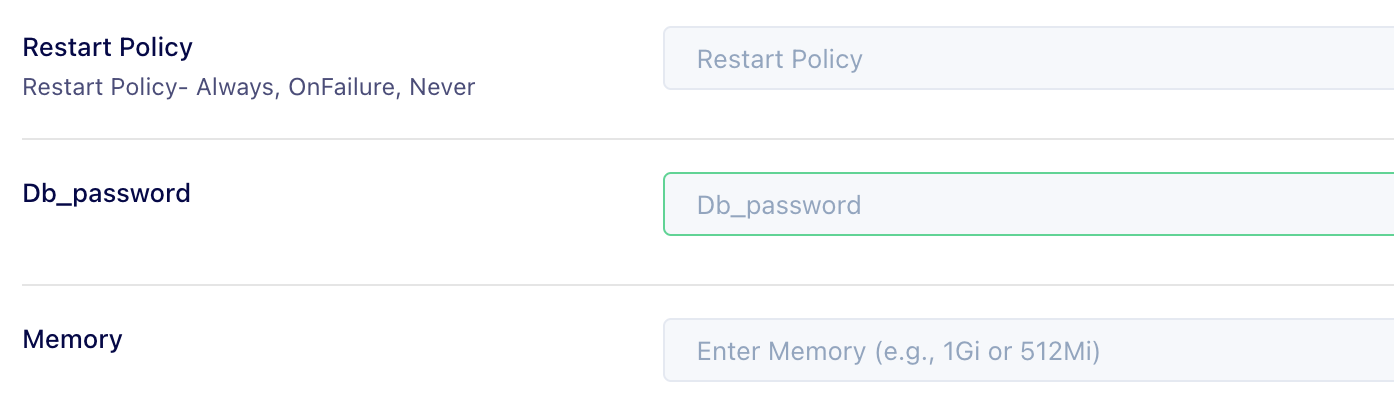
x-ui-placeholder
memory:
  type: string
  title: Memory
  x-ui-placeholder: "Enter Memory (e.g., 1Gi or 512Mi)"
x-ui-toggle
Sets value for collapsible groups. If true, the group is collapsed by default every time the form is rendered.
cloud_permissions:
  type: object
  title: Cloud Permissions
  description: Assign roles, define access levels
  x-ui-toggle: false
  properties:
    aws:
      type: object
      title: AWS
      x-ui-toggle: true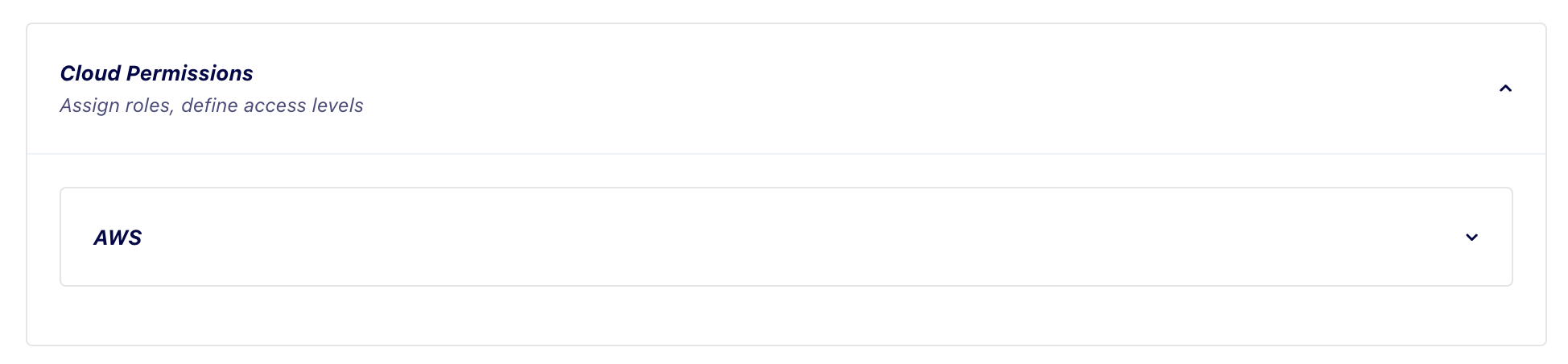
x-ui-artifact
Provides a way to attach images in all environments (based on the CI/CD Flow set at the project level) for any field marked with this tag.
The value is the artifact kind: docker_image (container image picker) or freestyle (generic artifact picker).
init_containers:
  title: Init Containers
  type: object
  properties:
    image:
      type: string
      title: Image
      description: Docker image of the init container.
      x-ui-artifact: docker_image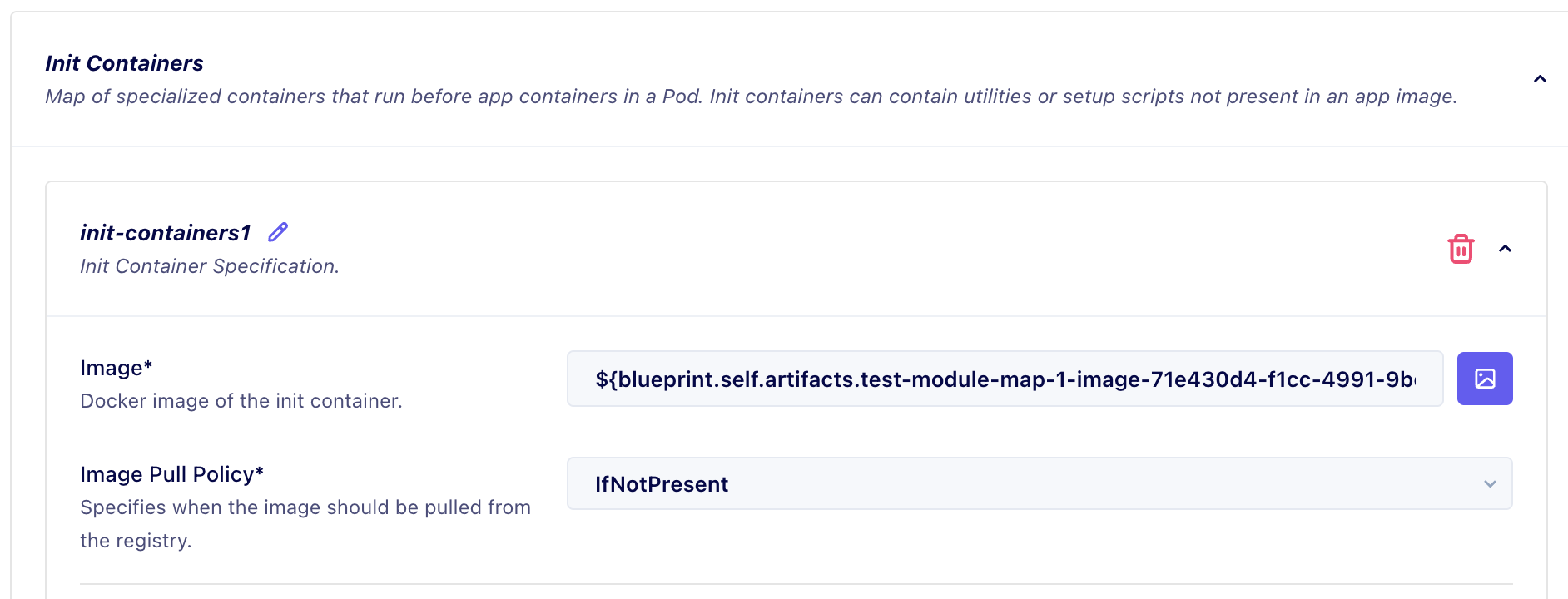
x-ui-editor
Custom editor (with support of multiple languages to choose from) for string-type fields. Pick the language with x-ui-editor-language; it defaults to YAML.
startup_script:
  title: Startup Script
  description: Shell script run before the main container starts.
  type: string
  x-ui-editor: true
  x-ui-editor-language: shell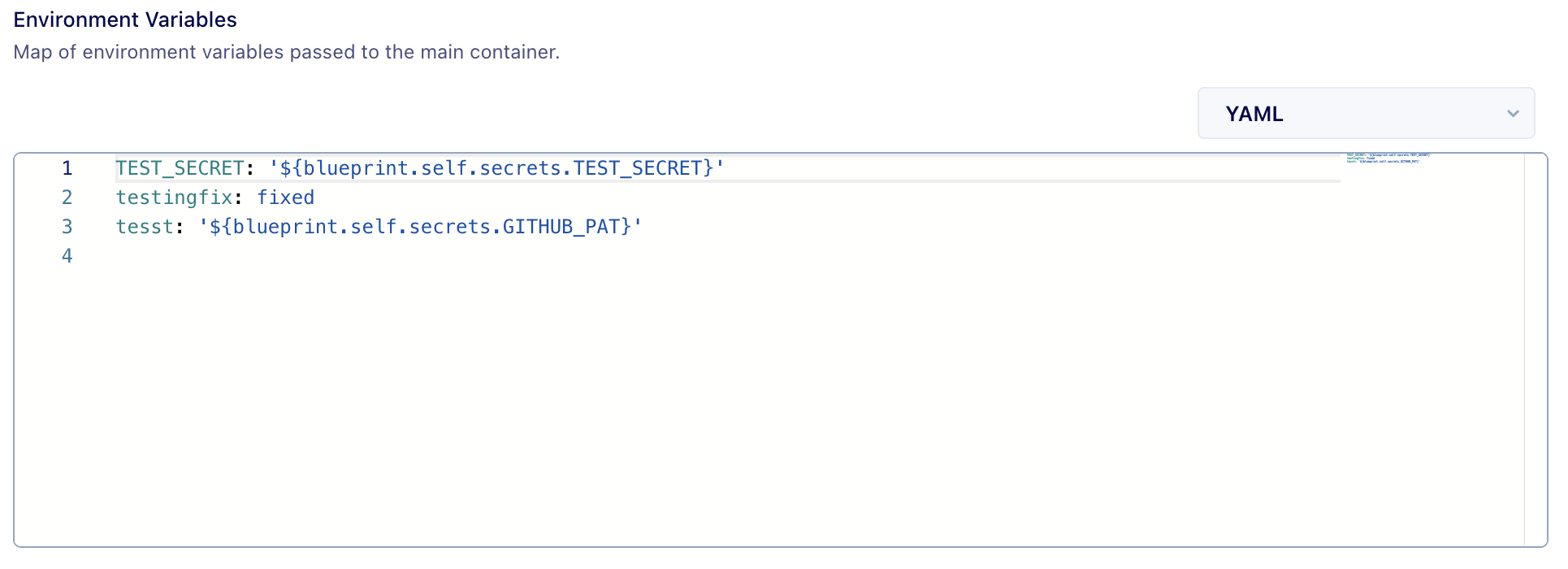
x-ui-yaml-editor
Custom YAML editor for object-type fields.
 env:
   title: Environment Variables
   description: Map of environment variables passed to the main container.
   type: object
   x-ui-yaml-editor: true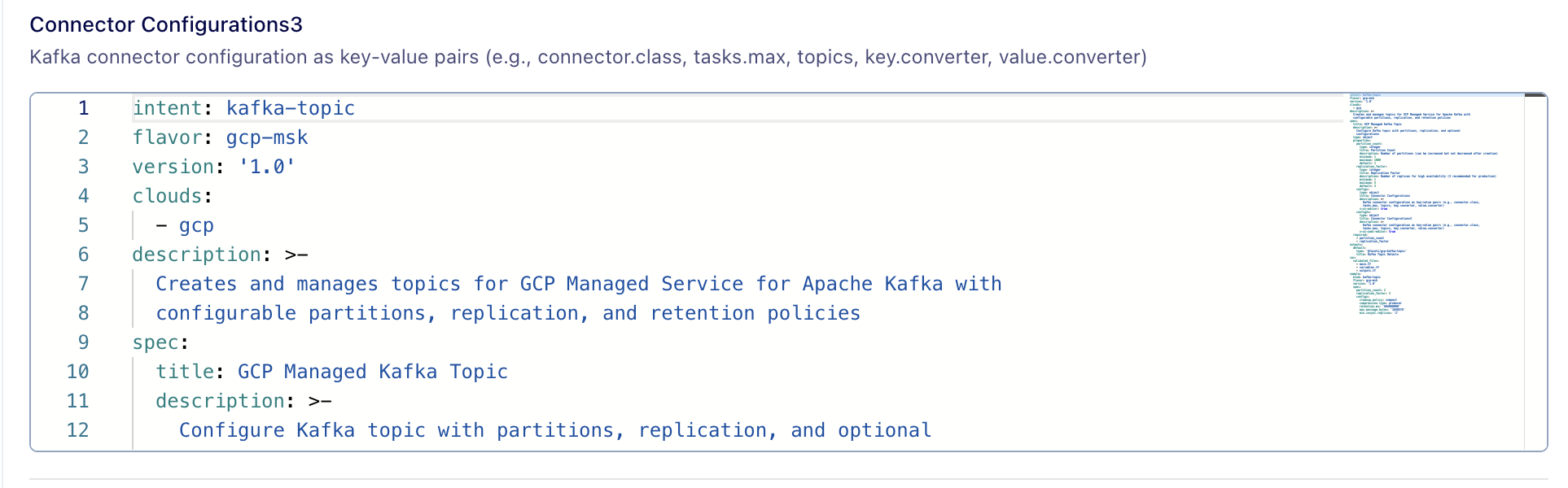
Validation and error handling
x-ui-error-message
Customises error messages on validation.
memory:
  type: string
  pattern: "^\\d+(Mi|Gi)$"
  x-ui-error-message: "Invalid memory format. Use Gi or Mi."
x-ui-array-input-validation
If any field with type "array", then validation can be put on each item of the array by defining a pattern inside this field.
times:
  type: array
  x-ui-array-input-validation:
    pattern: "^([0-1]?[0-9]|2[0-3]):[0-5][0-9]$"
  items:
    type: string
x-ui-compare
If two fields need to be compared using operators such as >, >=, <, <= , enable this flag. If the provided values do not satisfy the comparison, the specified error message will be displayed.
min:
  type: integer
  title: Minimum
  minimum: 1
  maximum: 200
  x-ui-compare:
    field: spec.runtime.autoscaling.max
    comparator: '<='
    x-ui-error-message: 'Min cannot be greater than max'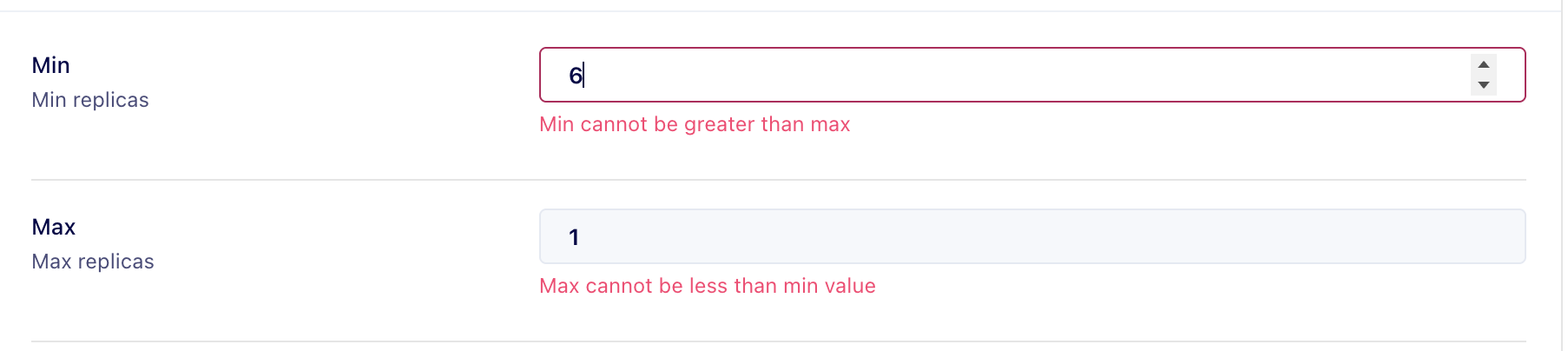
Return to top
Manually using Raptor
Build a Facets module by hand with the Praxis CLI: define the facets.yaml contract, write the Terraform against the standard variables, then validate, upload, and publish.
Defining Module Resource Actions
Define custom resource Actions for any Facets module using containerised Tekton workflows, with auto-injected credentials, RBAC scoping, and UI integration.