AWS IAM in modules
Declaratively manage AWS IAM roles and policies in Facets service modules, attaching policies from managed resources and custom policies for unmanaged ones.
Facets manages AWS IAM policies declaratively. In the Facets modules pack, IAM roles are created automatically for services (Kubernetes deployments, jobs, and cronjobs) based on the module's flavors. You attach policies to those roles to grant permissions, and they apply consistently across every environment. There are two ways to attach one.
Policies generated by managed resources
Facets resources output the policies they generate: an S3 resource, for example, generates READ_ONLY and READ_WRITE policies. To attach one:
- In the service form, open Cloud Permissions.
- Toggle Enable IRSA if you need fine-grained AWS permissions.
- Under the IAM Policies dropdown, pick from the policies generated by resources in the project. The list updates dynamically.
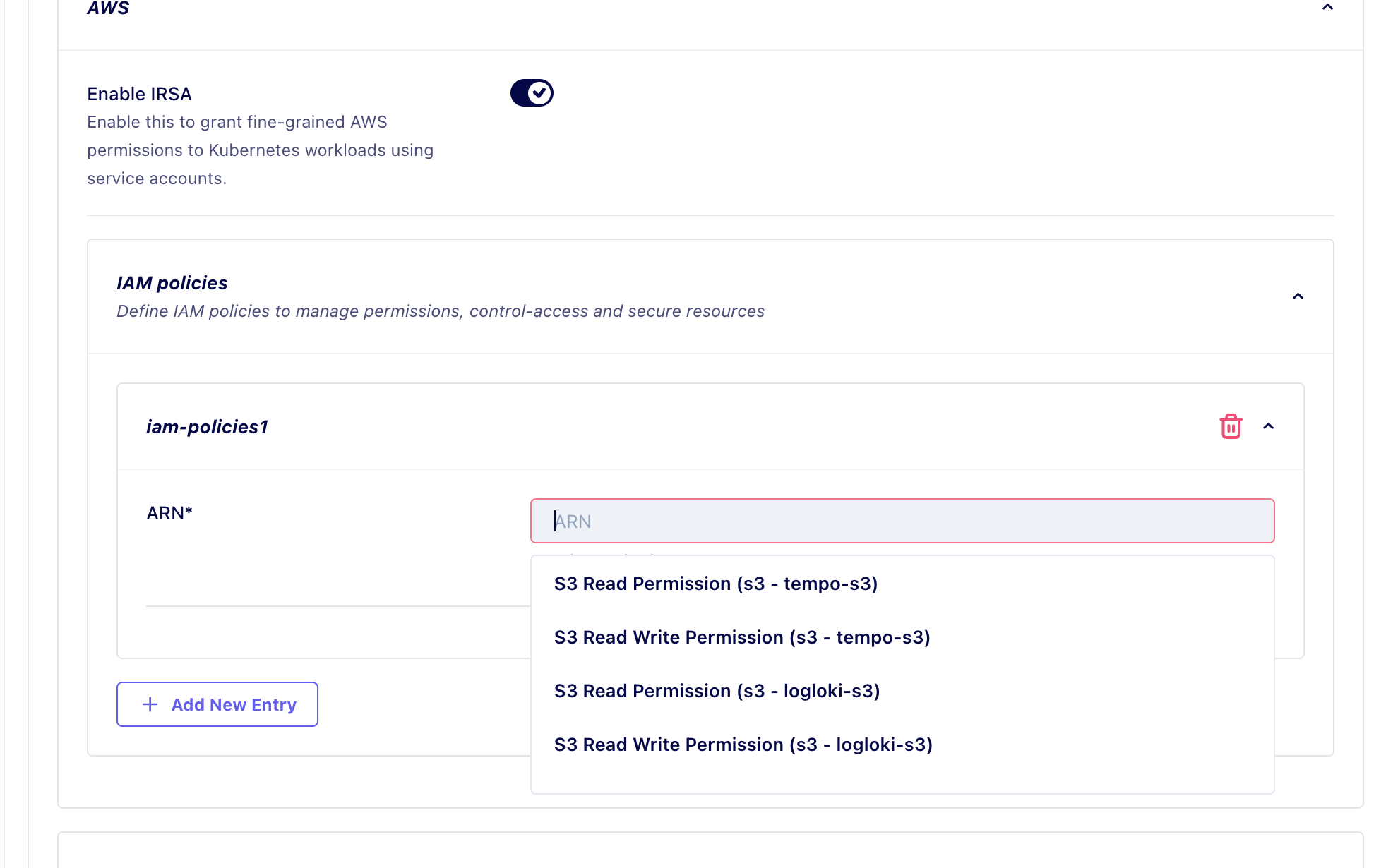
- Select the policy, such as
S3_READ_ONLYorS3_READ_WRITE, to attach it to the service's IAM role.
Because the policy is generated by the resource, it applies automatically in every environment the resource is provisioned in, with no per-environment setup.
Policies for unmanaged resources
For resources Facets does not manage, create a custom IAM policy in the blueprint and reference it the same way:
- In the Blueprint Editor, search for IAM Policy under resources.
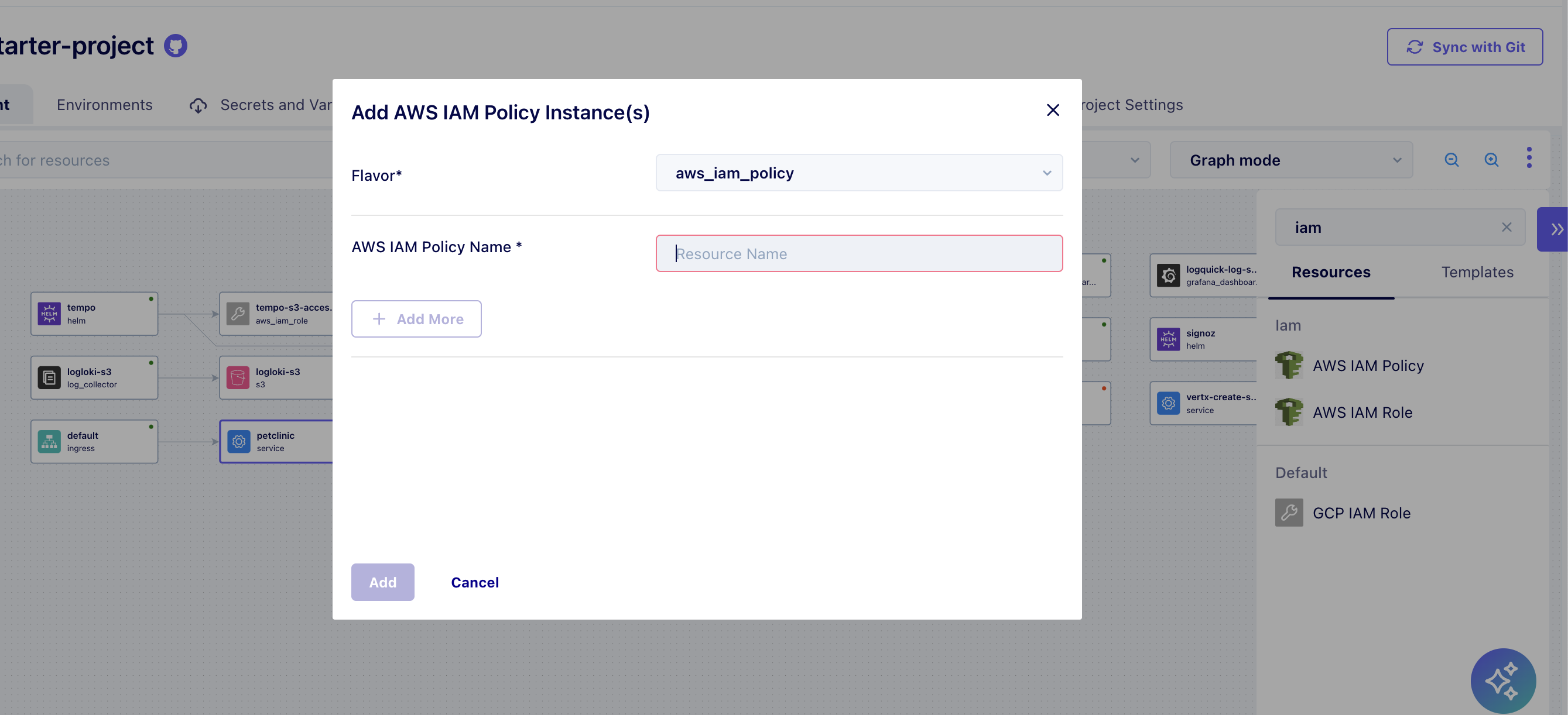
- Add an IAM Policy resource with the
aws_iam_policyflavor. - Define its name and JSON in the resource configuration.
- Back in the service form's Cloud Permissions, select your custom policy from the IAM Policies dropdown, which includes every IAM policy defined in the project.
Across environments
Policies defined once apply to new environments automatically, with no extra configuration, because they live in the version-controlled blueprint.
Versioning Strategy
How Facets modules version safely: major versions in facets.yaml for breaking changes, soft versioning for compatible updates, and per-version directories.
Reusing Terraform code
Reference external public Terraform modules from within Facets modules to reuse common logic like naming and provisioning, plus the Facets Utility Modules.