Core concepts
The canonical definitions of the Facets model, in the order you meet them: Project Type, Module (Intent, Flavor, Output type), Project, Environment, Blueprint, and Resource.
The entities you name, configure, and deploy in Facets, in the order you meet them. You import a Project Type to populate your control plane with Modules, the typed building blocks. Each module declares an Intent (what it provides), comes in Flavors (how it is implemented), and exposes Output types (what other modules can read). You then create a Project from that type, deploy its Environments, and design a Blueprint of Resources.
Every concept can be driven by a person in the Control Plane, from the Praxis CLI, or by a Praxis agent. All three go through the same control plane and leave the same audit trail.
Quick overview
Facets organizes everything into a simple hierarchy:
- Project TypeCatalogue of Modules
- ProjectOne Blueprint, many Environments
- BlueprintDeclarative design
- Servicea Resource
- Databasea Resource
- Cachea Resource
- Environmentdev / staging / production
Project Type
A Project Type is the first thing you bring into a new control plane. It is a bundle of IaC modules and Output types imported together, plus the cloud settings and IaC tool version that projects of that type inherit. A new control plane starts empty, with no modules, so importing a Project Type is how the catalogue gets populated, and it determines which resource types the projects you create from it can use.
There are two kinds:
- Facets-managed project types: ready-made starting points published by Facets and imported into your Control Plane, such as
facets/awsorfacets/empty. - Organization-created project types: created by your organization from an existing project or a Git repository, tailored to your own infrastructure standards.
Example: importing facets/aws to populate a fresh control plane with the official AWS modules and output types.
For creating and using them, see Project Types and Import a project type.
Module
A Module is a typed building block: the contract between the person who writes the Terraform and the person who asks for, say, a database. It declares a spec (the fields a developer fills in) and outputs (the values other modules can read), and Facets generates the Terraform from that contract. Project Types bundle modules, and a Blueprint is built from them.
A module has two kinds of inputs:
spec: the developer-facing configuration, structured and validated, that powers the form UI and JSON input. These map to familiar concepts such asregion,node_count, orproject_id. Thespecis what a developer sets; it is unrelated to how modules wire to each other.inputs: values that come from the outputs of other modules. Each entry names a key (for examplenetwork) and the Output type it expects (for example@facets/aws-vpc-details). At deployment time, Facets connects the input to a matching output from an upstream module.
For what a module's facets.yaml contains and how to author one, see Module anatomy. Three concepts describe what a module provides and how modules connect: Intent, Flavor, and Output type.
Intent
An Intent is a high-level infrastructure requirement, stated as a capability rather than an implementation. When you build an application you think in terms of "I need a database" or "I need a cache", not in terms of AWS RDS versus GCP Cloud SQL or which configuration parameters to set. A module declares the Intent it satisfies, and that Intent stays the same across environments and cloud providers.
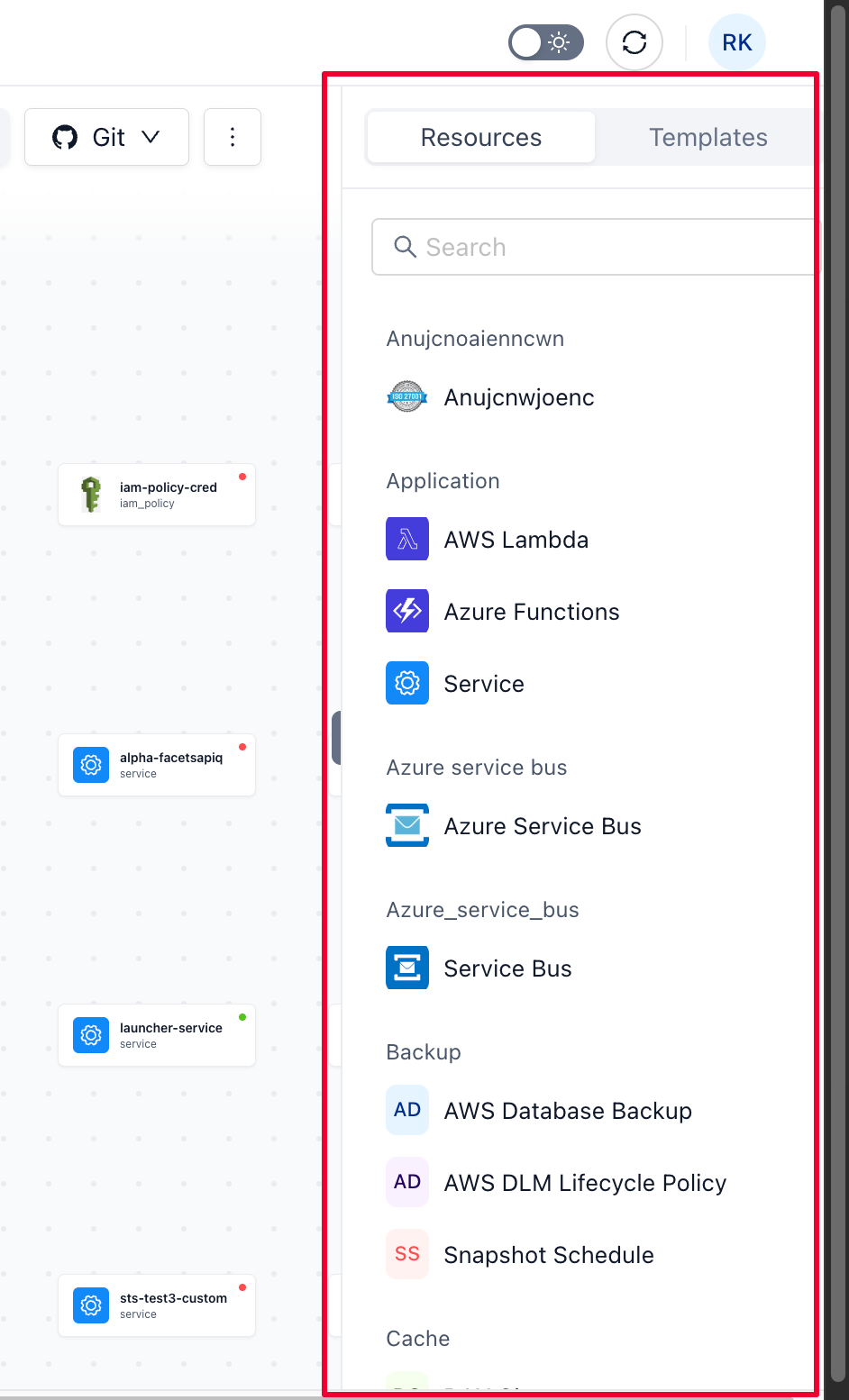
Example: a Postgres database, declared by its kind without any implementation detail.
{
  "kind": "postgres",
  "version": "0.1",
  "disabled": false,
  "metadata": {
    "tags": {
      "name": "postgres"
    }
  },
  "spec": { }
}
The Intent above declares what you need, a Postgres database, without specifying how it is provisioned. It focuses on the essential characteristics your application requires, which is what lets you keep the same Intent across different environments or cloud providers.
Flavor
Where an Intent declares what you need, a Flavor defines how it is provided. A Flavor is a specific module that implements an Intent. Several Flavors can implement the same Intent differently, but they all satisfy its core requirements, so a Flavor is the bridge between a high-level requirement and an actual cloud resource.
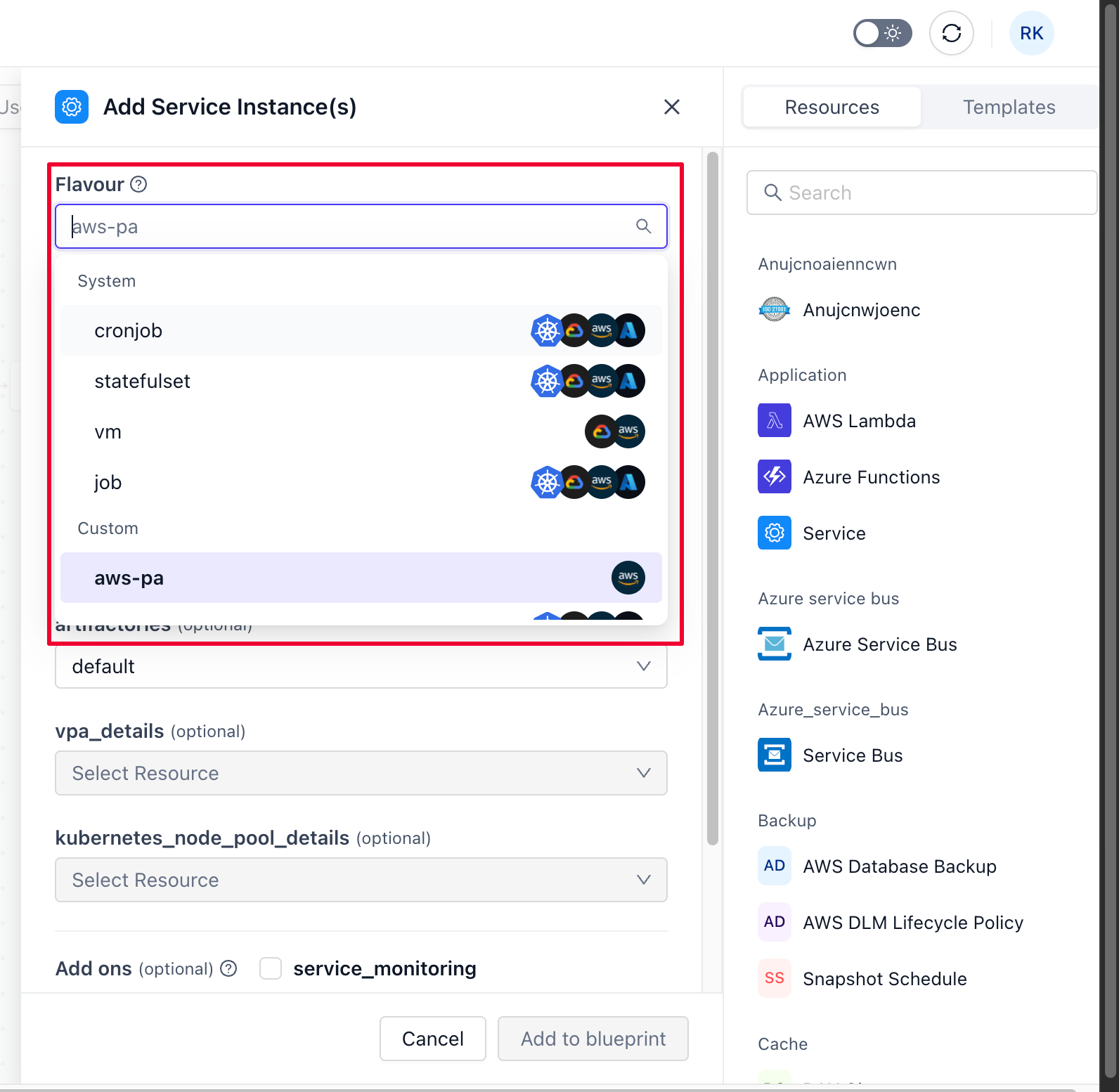
Example: the same Postgres Intent, pinned to the k8s Flavor that provisions it on Kubernetes.
{
  "kind": "postgres",
  "flavor": "k8s",
  "version": "0.1",
  "disabled": false,
  "metadata": {
    "tags": {
      "name": "postgres"
    }
  },
  "spec": { }
}
Here the Flavor k8s specifies how the database is provisioned, packaged as a Terraform module tailored for Kubernetes. The Postgres Intent is fulfilled in a way that stays consistent across cloud environments by using Kubernetes as a common infrastructure layer.
Output type
An Output type is the typed contract carried by the values that flow between modules. Types follow the pattern @namespace/name and are matched exactly by name, so two modules snap together only when the output type one exposes is the same as the input type the other expects. @facets is the namespace the official module catalogue ships under, and @custom is the conventional namespace for types your organisation defines.
A module output has a name (for example default or replication) and is bound to an Output type. The output declares no fields of its own: the fields a consumer can read, such as attributes.vpc_cidr_block, come from the schema of the type it is bound to. That is what makes outputs interchangeable, any module exposing @facets/aws-vpc-details can satisfy any input expecting @facets/aws-vpc-details.
Example: an S3 module exposing default of type @facets/s3 and replication of type @custom/s3_replication.
Namespaces are matched exactly, so two types with the same name under different namespaces are not interchangeable. Older modules predating the current catalogue declare types under an @outputs namespace, which the Control Plane still accepts. Confirm the namespace a type is actually registered under before wiring an input to it.
Project
A Project is the workspace that provisions infrastructure and streamlines software development. It houses one Blueprint (your application's roadmap of resources) and the Environments deployed from that Blueprint on your chosen cloud platform. A Project is created from a Project Type, which sets the resource types it can use, and it is your starting point: once it exists, you build a Blueprint and deploy it to multiple environments.
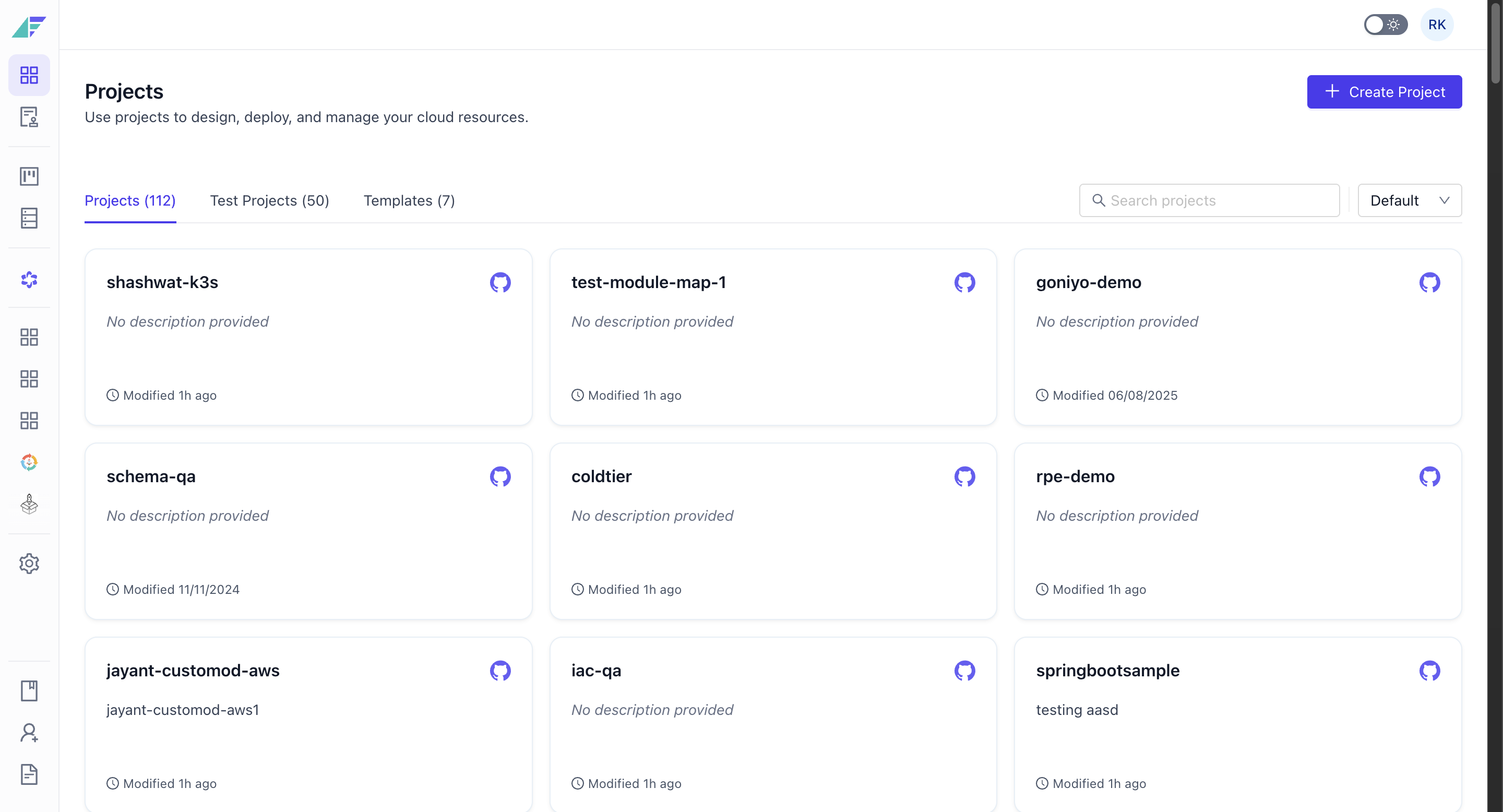
Example: a payments project created from the facets/aws Project Type, holding one Blueprint and its dev, staging, and production environments.
For setup, see Creating a Project.
Environment
An Environment is a concrete, running instance of a Blueprint on a specific cloud. It contains all the resources, configurations, and services needed to run the software. Where a Blueprint is the plan, an Environment is that plan deployed and live.
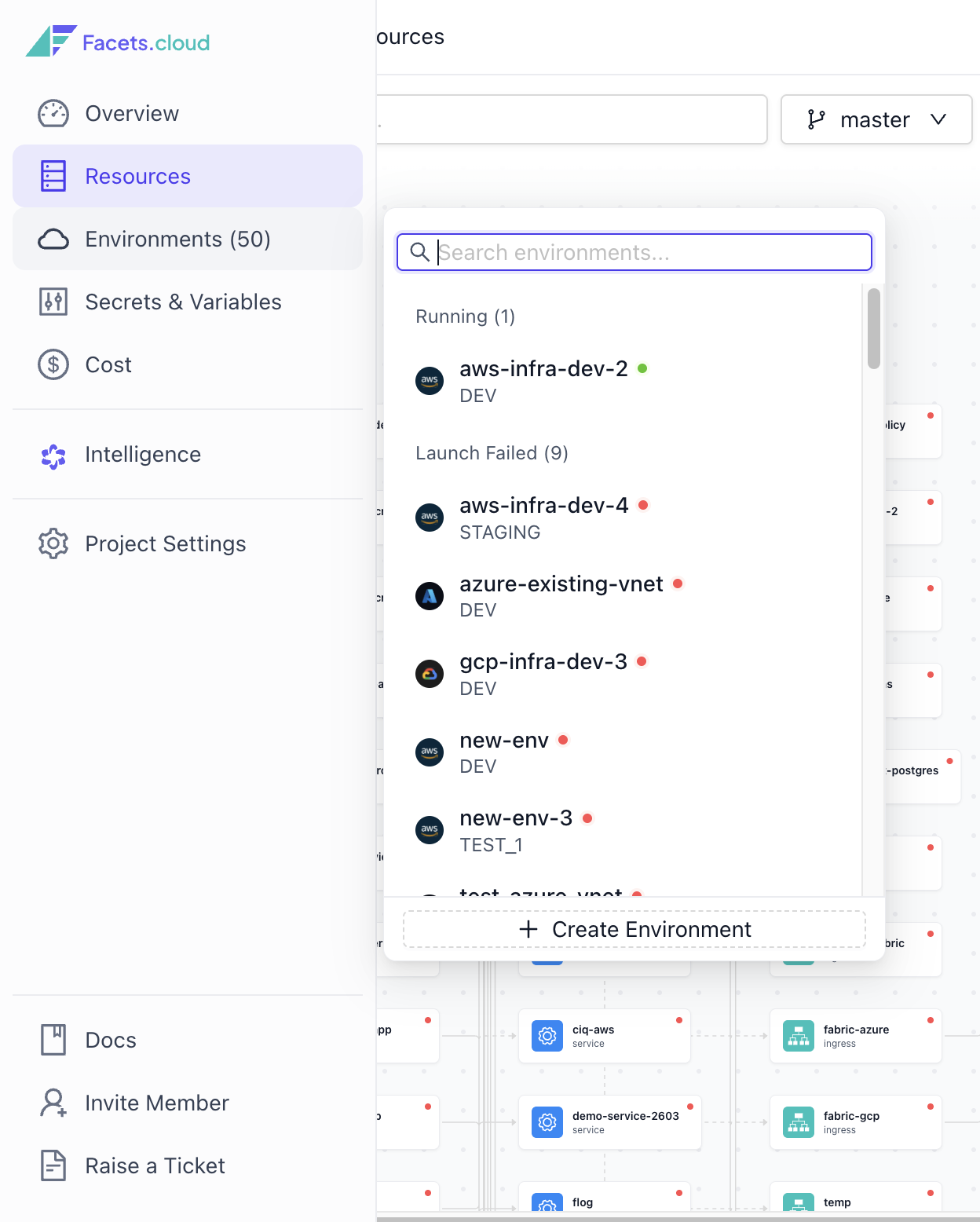
Example: a production environment deployed from the Blueprint onto an AWS account.
Environments come in a few forms:
- Base environment: a standalone environment created independently, with no dependencies on other environments. "Environment" and "Base environment" mean the same thing when there are no environment-specific dependencies.
- Dependent environment: inherits infrastructure, tools, and deployed resources from a specified base environment, so updates to the base propagate to its dependents. See Dependent Environments.
- Time-sensitive environment: a temporary setup for testing or short-term work, configured within a normal environment and easily discarded once no longer needed. See Time-sensitive environments.
Blueprint
A Blueprint is the declarative representation of your application's overall architecture. It is a comprehensive plan that lets you design every aspect of your product without deploying resources to the cloud, encapsulating all configurations needed to create and manage environments: resource definitions, service discovery, and secrets. A Blueprint is a graph of resources, and it is stored as files in a Git repository, which makes it the single source of truth for infrastructure design and deployment.
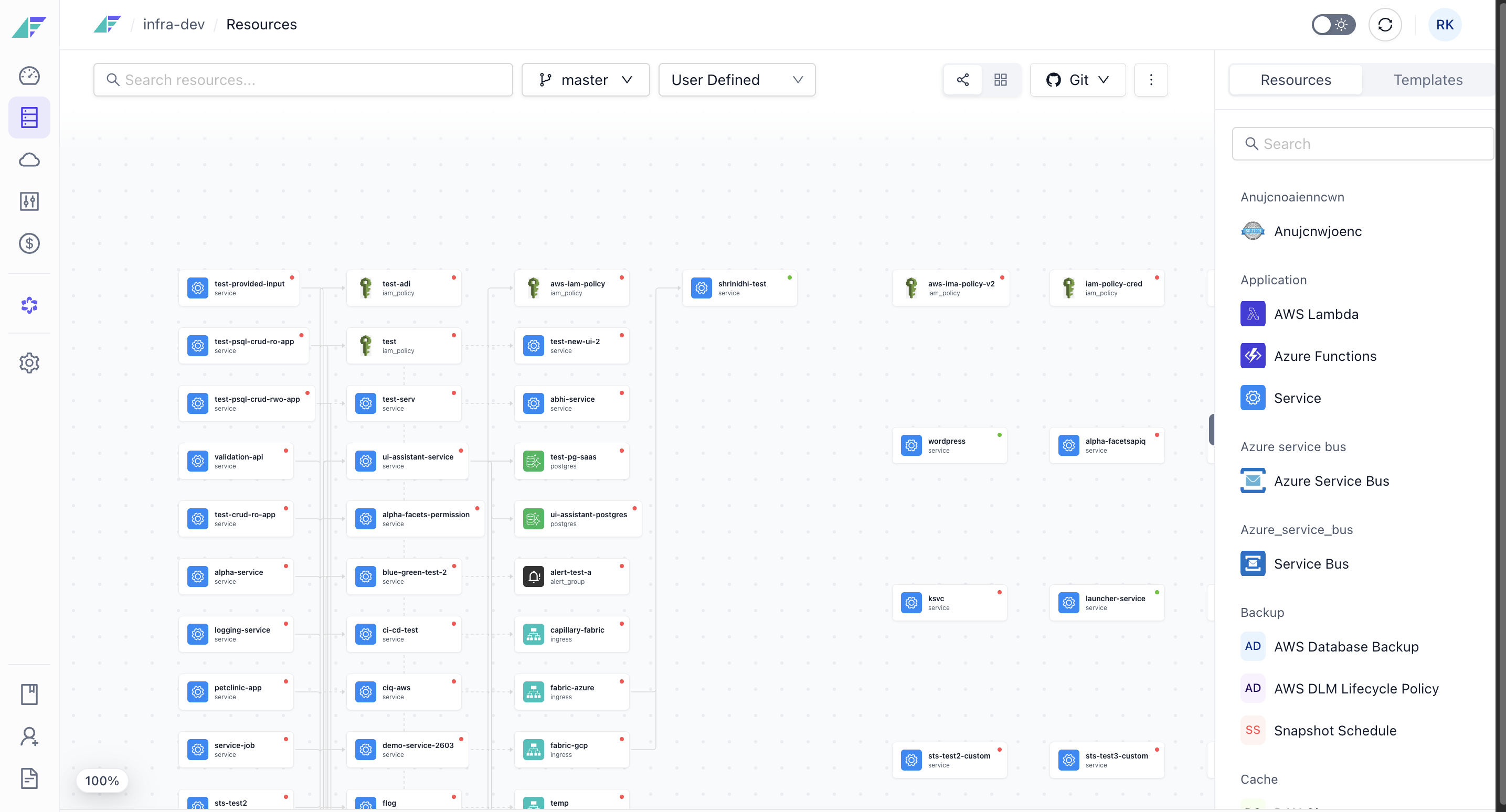
Example: a Blueprint wiring a Postgres resource, a Redis cache, and a service behind an ingress, deployable to any number of environments.
Blueprints give you:
- Consistency and zero drift: every environment follows the defined architecture unless explicitly overridden, and you can always compare an environment against the Blueprint defaults.
- Default configurations: set defaults once (for example, mark production as the default) and launch an identical environment whenever you need it.
- Single source of truth: because a Blueprint captures resource configurations, service discovery, and secrets, you can launch environments with a single click and tag resources correctly for billing and cost tracking.
- Version control with Git: because every Blueprint resides in a Git repository, all infrastructure changes are versioned and under your control. You can use PR raise and merge flows, similar to your code, for infrastructure, observability, and application configuration changes.
Because the Blueprint is Infra-as-Code in JSON, internal teams can build on it: some customers have written Slack bots for resource creation, policies to scan before each release, and automation to rightsize resources based on feedback from observability platforms.
Resource
A Resource is any cloud infrastructure component included in a Blueprint and deployed to an environment. Resources range from fundamental elements like VPCs and Kubernetes clusters to application-specific components like databases, caches, and load balancers. Each resource is an Intent pinned to a Flavor that says how it gets built, and resources are wired to each other either by linking them through a form or by dollar-referencing one resource's output from another's configuration.
Example: a postgres resource of Flavor k8s, linked to a service resource that reads its connection details.
For adding resources and wiring them, see Adding & Editing a Resource and the Resources guides.
See also
- How Facets works: the flow from a developer's request to a deployed environment.
- Releases: how changes get deployed to environments (release types, statuses, 3-way comparison, rollout strategies).
- Overrides: environment-specific configuration changes without altering the Blueprint.
- Build & CI/CD: linking your artifactory, configuring CI/CD workflows, and image deployment strategies.
vs. Terraform automation
How Facets differs from Terraform automation tools like env0 and Terraform Enterprise: a typed abstraction over Terraform, not a faster way to run the Terraform you still write by hand.
Use Cases
Is Facets right for you? Explore scenarios like multi-environment and multi-cloud management, automating manual ops, standardizing delivery, and migration.