Validation panel
The Validations Summary Panel surfaces broken references, JSON errors, and guardrail violations every 5 minutes so you can fix issues before release.
This feature is available on the Enterprise plan only.
The Validations Summary Panel is where you catch problems before they reach a release: broken references, JSON errors, and resources that violate a guardrail policy. Validation checks each resource's JSON configuration and references for correctness and compliance.
The panel revalidates every 5 minutes, and you can trigger a cycle yourself with Run Validation on the validations page.
Types of validation
- Non-existent resource reference: a resource references another that does not exist in the blueprint.
- Disabled resource reference: a resource references another that exists but is disabled.
- Invalid reference expression: a reference expression is malformed, for example a service pointing at a database by the wrong path.
- JSON syntax error: a resource's JSON is invalid.
- GuardRails compliance issue: a resource violates a defined guardrail policy.
For each type with an example, see Types of validations.
Using the panel
- Go to Environment > Releases and open Validations.
- Any validation errors in your resource definitions appear here, with the error and its location.
- Click Run Validation to re-evaluate.
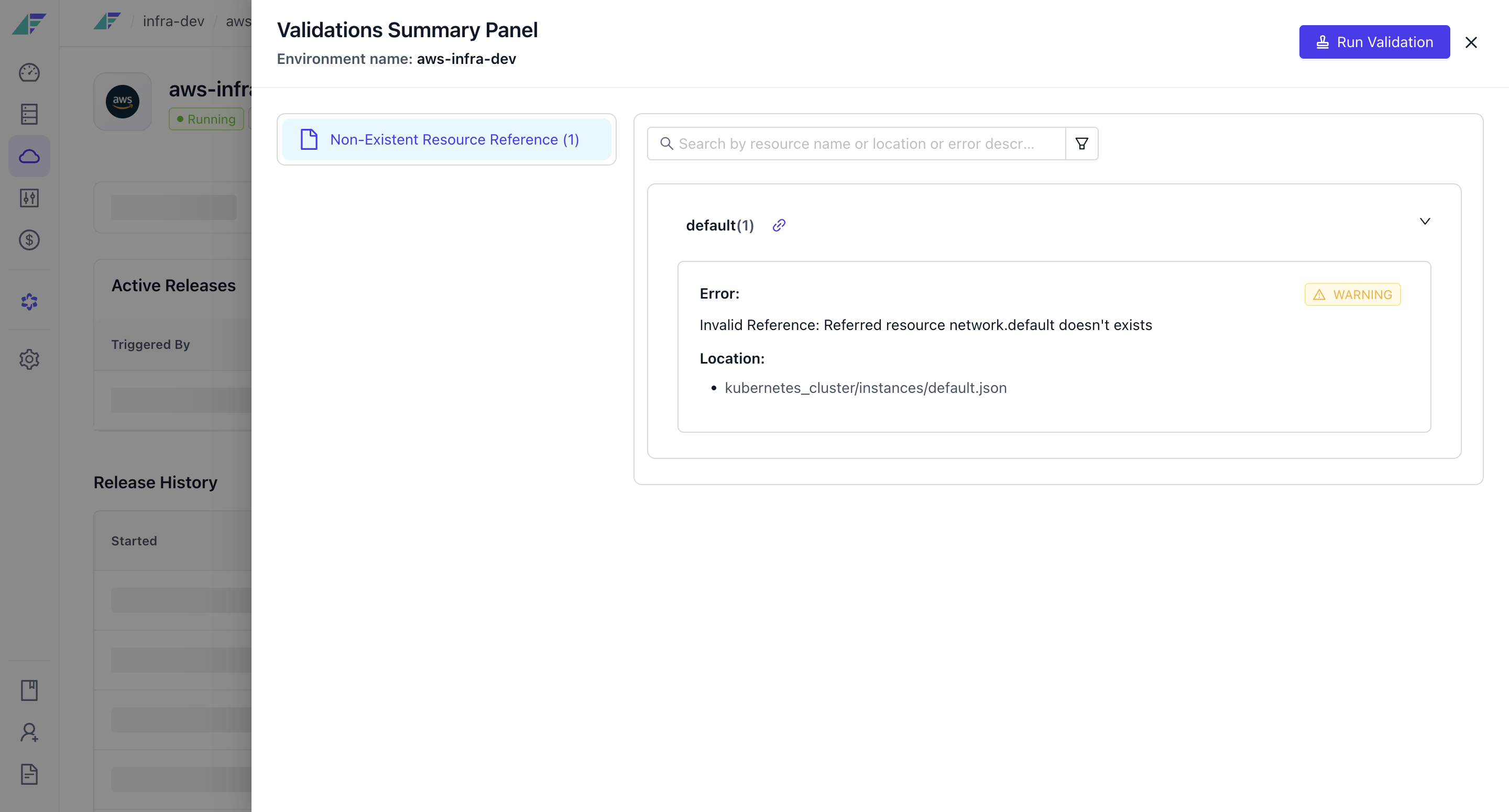
You can also run a check from the command line before releasing:
raptor plan -p PROJECT -e ENVIRONMENT --skip-server-planIt looks for references pointing at resources that are missing, resources that depend on each other in a loop, and resources not connected to something they need. It prints what it finds and releases nothing.
Deployment Details
View a Facets release: status, timestamps, Terraform changes, app deployments, logs, sign-off, plus CRD phases and deployed artifact tracking.
Types of Validations
The validation types in Facets: non-existent and disabled resource references, invalid reference expressions, JSON syntax errors, and guardrail violations.