Exposing to the internet
Make your application publicly accessible on Facets: set up an ingress resource, map a custom domain, and add the CNAME record at your DNS provider.
Now that your dependencies are all mapped, let’s move on to exposing the app to the internet. Here's a step-by-step walkthrough.
Custom Domains
To make your application accessible using a custom domain on Facets.cloud, follow these steps:
1. Set Up Ingress
Facets.cloud uses an ingress to route external traffic to your application. So you have to create an ingress resource in Facets.cloud and configure it with the required port and other ingress rules.
2. Map the Custom Domain
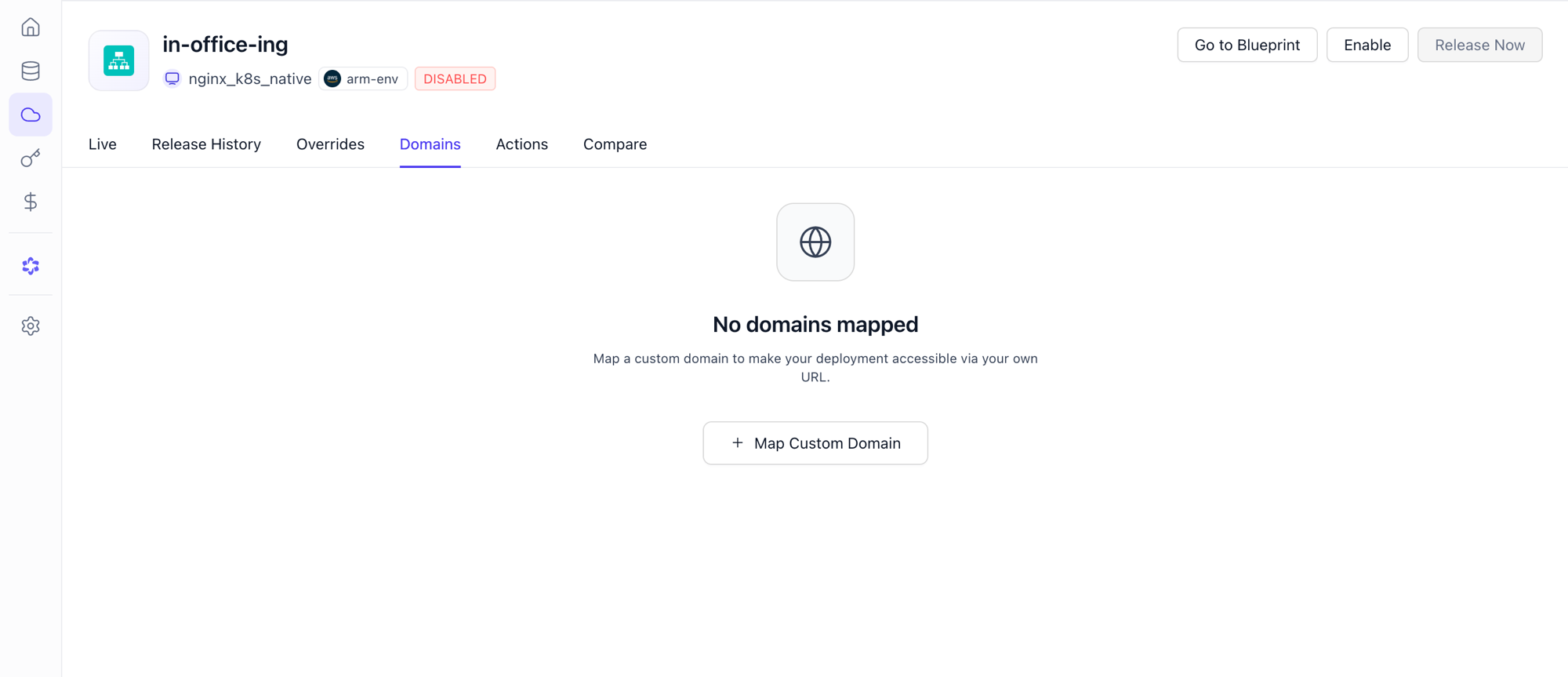
- Now select the Ingress Resource from Resource Center, choose the environment for which you want to configure domains.
- Now, click on the Domains tab.
- Select the environment (e.g., staging, production) where you want to map your custom domain.
- Click Map Custom Domain.
- In the UI that appears, provide the following details:
- Custom Domain Alias: This unique, user-defined name serves as an alternative web address.
- Custom Domain URL: This refers to the specific web address associated with the Custom Domain Alias.
- Click Create to finalize the mapping.
3. Update DNS
- Now, navigate to your DNS provider and add a CNAME record for the designated custom domain, and save the changes.
Dependencies
Onboard existing databases, caches, queues, and cloud dependencies into Facets-managed environments, with steps for provisioning, IAM, migration, and cutover.
Database migrations
Migrate your database to Facets using the right approach for your setup: dump and restore, provider backup, snapshots, or AWS DMS for minimal downtime.