Release Notes v0.91
Release v0.91 brings Praxis to your terminal — with a new CLI. Praxis now has agent Duties, Infrastructure Catalog, and cross-cloud cost projections.
✨ What's New
Praxis CLI — Bring AI DevOps Anywhere
Praxis is now available as a standalone CLI that works inside Claude Code, Cursor, and Gemini CLI.
Developers can run infrastructure operations, debug deployments, and query Facets resources directly from their editor — without switching to the web console.
Supports per-directory profiles, skill syncing, and full MCP gateway integration.
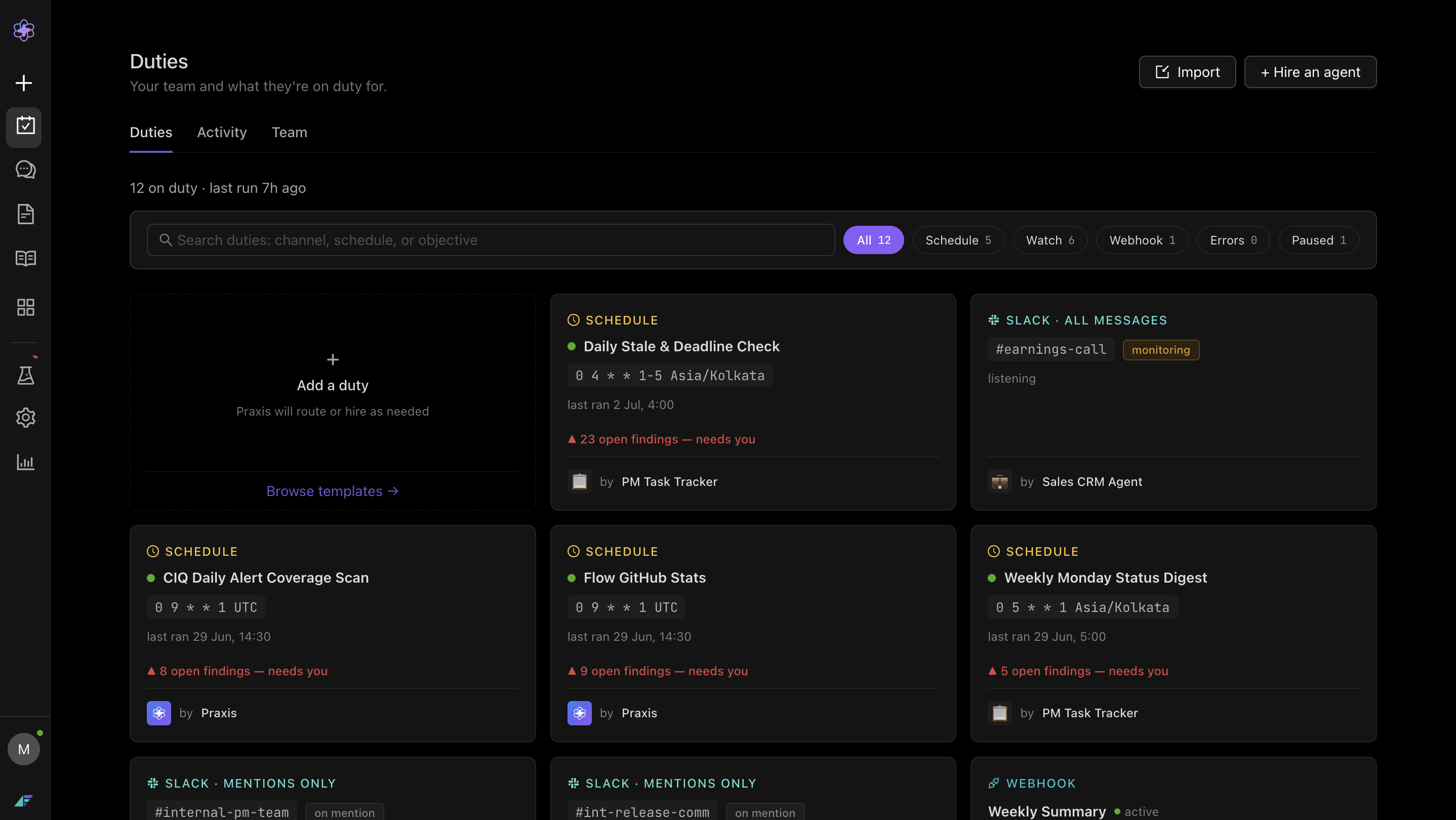
Praxis Duties
Praxis now supports scheduling jobs that needs to be performed based on the cron by the agent, called as Duties. Duties can be performed either by watching a Slack channel, on a schedule, or via a webhook URL.
Infrastructure Catalog
Infrastructure Catalog gives you a searchable, real-time map of all your services — including their dependencies, dependents, and configuration details — so you can instantly understand blast radius and service relationships before making any infrastructure changes.
Any cloud account running in facets or integrated via Praxis can be scanned to get the catalog.
AWS → GCP Cost Projection Skill
Praxis can now project your current AWS spend onto equivalent GCP services — with a service-by-service mapping and estimated savings delta. Useful for teams evaluating multi-cloud or GCP migration strategies. Accessible via the Praxis DevOps skills catalog.
📈 Enhancements
- Required-Field Indicators on Config & Override Forms: Blueprint configuration and override forms now show required-field indicators, reducing validation errors at save time and making it clearer which fields must be filled.
- Environment & Resource Switcher in Breadcrumb: Users can now switch environments and resources directly from the breadcrumb dropdown — without navigating back to the project list. This dramatically reduces click depth for teams managing many environments and resources in parallel.
- Bulk Resource Operations from the Resources Footer: Two new bulk actions are available in the footer: Bulk Delete and Bulk Attach to Resource Groups. Saves significant time when onboarding or reorganizing large blueprints.